
HKSI Paper 1 Exam Dates, Fees & Registration (2026 Guide)
When is the HKSI Paper 1 exam? It is not one exam day a year — HKSI runs computer-based sessions throughout the month, and you book one. Fees, deadlines and how to enrol.
Ready to take the HKSI LE Paper 1 exam? This guide covers exam dates, fees, and the entire registration process, from creating an account to booking your exam session.
HKSI Paper 1 Exam Dates (2026)
HKSI Paper 1 is not held on one exam day a year. HKSI runs computer-based sessions throughout the month — on weekdays and some Saturdays, with morning, afternoon and evening slots — and you book one of them. Each session block is 2 hours, which includes check-in time. Upcoming dates and live seat availability are shown in HKSI's scheduling system (ProScheduler) when you enrol.
📅 How the Deadlines Work
- Enrol/schedule: by 23:59, 5 days before your session.
- Reschedule/withdraw: 6 days before, at the same time as your session starts.
- Calendar days, not working days: deadlines can fall on a Saturday or Sunday.
- Book early: popular slots fill up, and the deadline does not guarantee a seat. Live availability is shown in HKSI's scheduling system (ProScheduler) when you book.
Registration Overview
| Registration Method | HKSI Institute Online Portal or Mobile App |
| Exam Fee (HK Centre) | HK$1,630 |
| Exam Fee (Global Centres) | HK$2,050 |
| Enrol/Schedule Deadline | 23:59, 5 days before your session |
| Reschedule/Withdrawal Deadline | 6 days before your session, at its start time |
| Exam Mode | Computer-based Examination (CBE) |
Step-by-Step Registration Process
Step 1: Go to the HKSI Enrolment Page
Visit the HKSI Institute Enrolment Page.
Step 2: Click "Enrol Now"
On the enrolment page, click the "Enrol for Examination" button.
Step 3: Select "Examination"
After clicking Enrol Now, select the "Examination" option.
Step 4: Choose the Licensing Examination
From the dropdown menu, select "Licensing Examination for Securities and Futures Intermediaries", then select Paper 1.
Step 5: Select Your Examination Centre
Choose your preferred:
- City/Country (Hong Kong or other global locations)
- Venue (available examination centres)
💡 Tip: Hong Kong vs Global Centres
Hong Kong Examination Centre costs HK$1,630, while Global Examination Centres cost HK$2,050. If you're in Hong Kong, the local centre offers better value.
Step 6: Log In or Create an Account
Click Login. If you don't have an HKSI Institute account, the system will prompt you to create one.
For new accounts, you'll need to provide:
- Personal information
- Contact details
- Photo identification details
⚠️ Important: Name Must Match
Your English name in the HKSI system must exactly match your photo identification document. Any mismatch will prevent you from taking the exam.
Step 7: Pay the Examination Fee
After completing enrolment, pay the examination fee using the available payment methods.
You can view your enrolment details in the "UPCOMING ACTIVITY" tab of the Online Portal, or "My Exams" tab in the HKSI Institute Mobile App.
Step 8: Schedule Your Examination Session
After enrolment, you must schedule your specific exam session before the scheduling deadline.
⚠️ Schedule Early
The scheduling deadline does not guarantee availability. Exam slots can fill up quickly — schedule as early as possible to get your preferred date and time.
Important Deadlines
| Deadline | Timing | Notes |
|---|---|---|
| Enrol/Schedule | 23:59, 5 days before exam | Must complete payment by this deadline |
| Reschedule/Withdrawal | 6 days before exam, at the session start time | No changes accepted after this deadline |
| On Exam Day | N/A | No reschedules or refunds available |
🚫 No Changes on Exam Day
If you cannot attend on exam day, you cannot request a reschedule or refund. All changes must be submitted at least 6 days before your session, by the same time of day the session starts.
Pssst, looking for a platform to practice HKSI Paper 1 questions? ExamPrep.hk has 1,000+ practice questions with detailed explanations, chapter-by-chapter practice, and full mock exams.
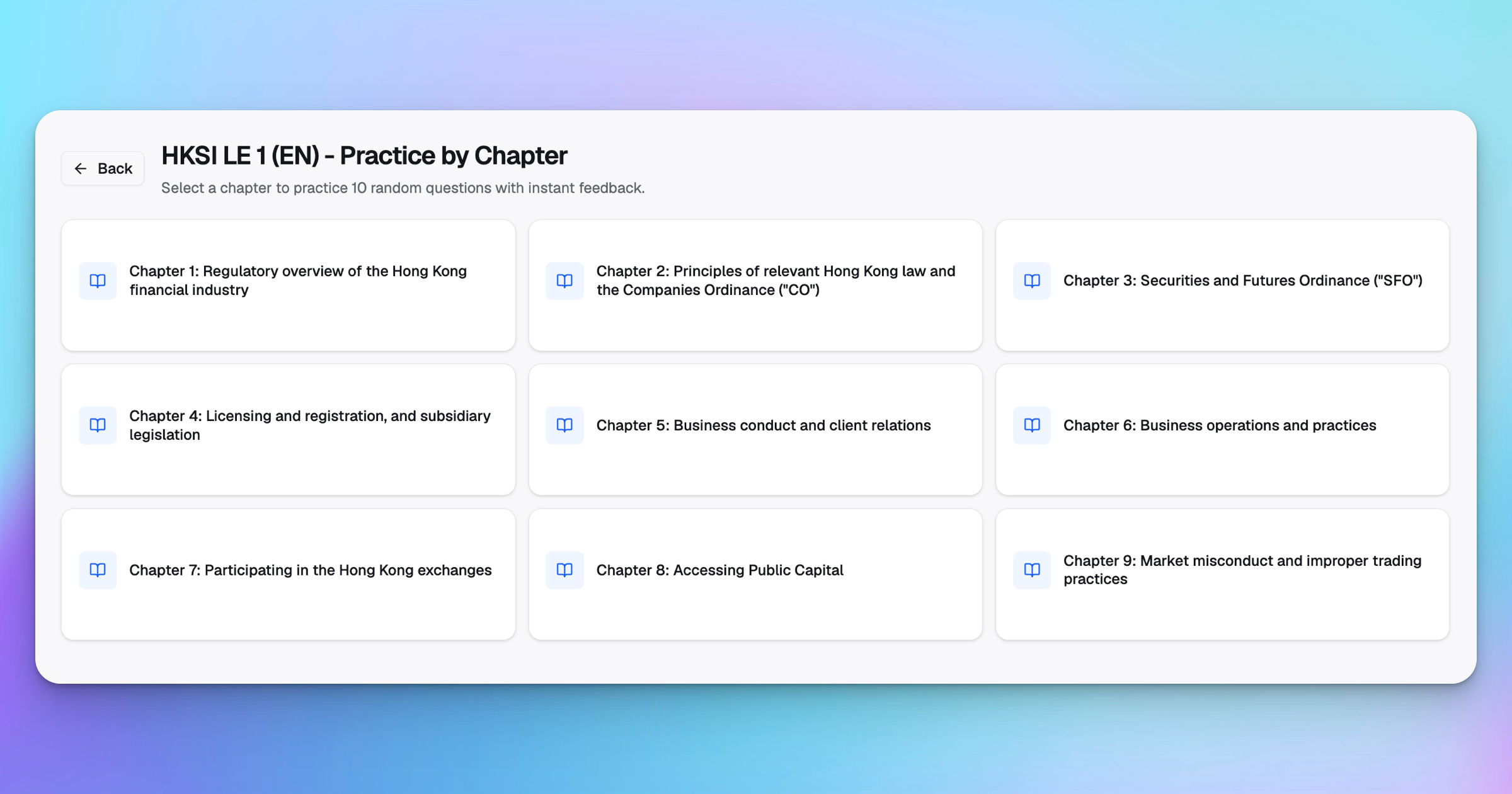
ExamPrep.hk's Practice by Chapter feature helps you focus on specific chapters and track your performance.
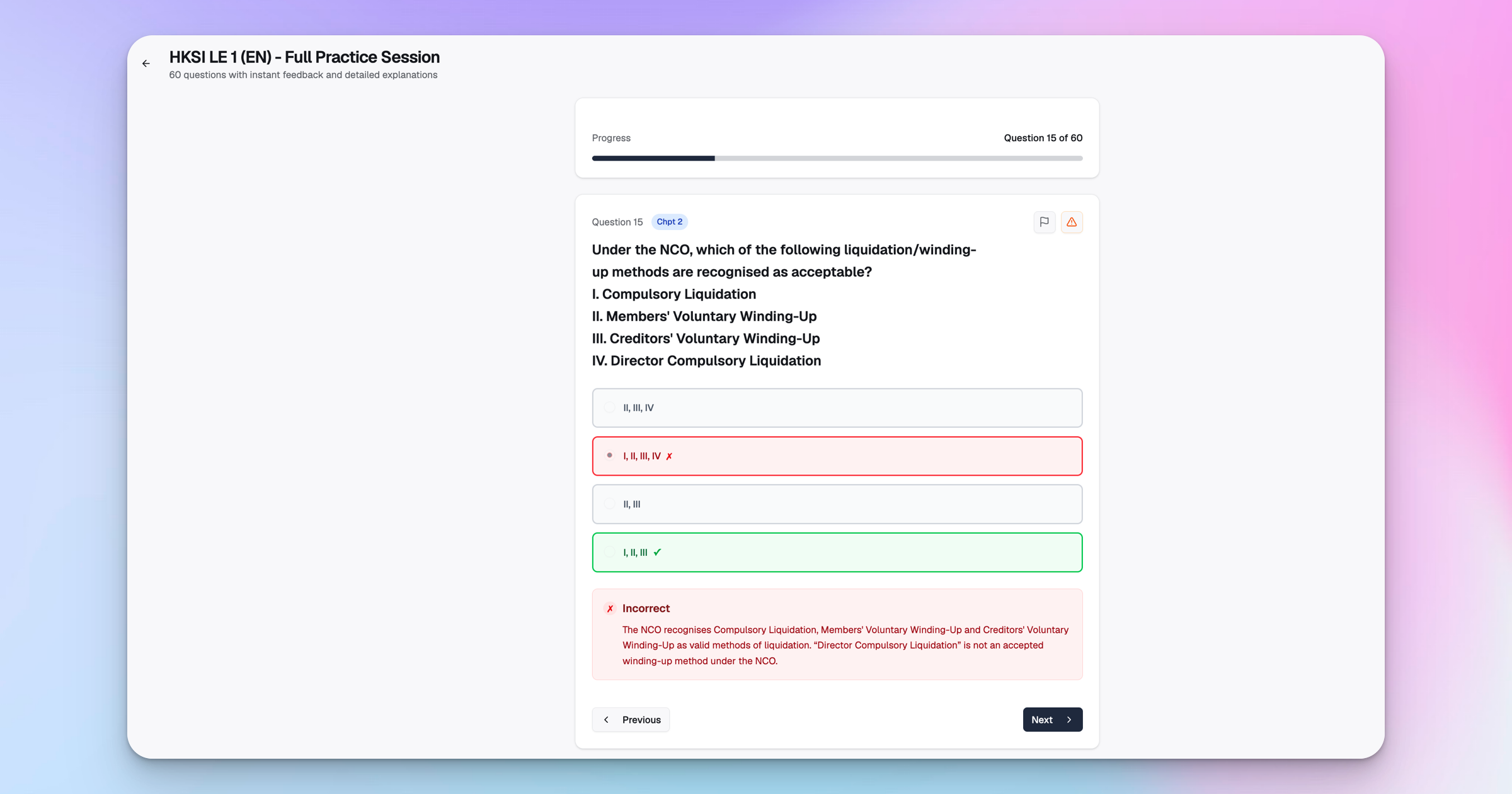
ExamPrep.hk's Instant Feedback and Explanation feature helps you understand the concepts better.
Exam Day Requirements
On the day of examination, you must:
📋 Exam Day Checklist
- ✅ Present your original, valid photo ID with English name matching HKSI records
- ✅ Arrive at the examination centre at the scheduled start time
- ✅ Know the last 4 digits of your mobile phone number / confirmation number
You will NOT be allowed to take the examination if you:
- Fail to present a valid government-issued photo ID with English name
- Cannot provide the last 4 digits of your mobile number / confirmation number
- Have name or mobile number not matching HKSI records
- Fail to complete identity verification within 30 minutes of admission start time
Changing Your Personal Details
If you need to update your personal information (email, phone number, address, etc.):
- Log in to the HKSI Online Portal
- Go to the "Profile" section
- Update your details
Important: Failure to keep your details updated may delay or prevent you from receiving important exam information.
After Registration: Start Preparing
Once you've registered, it's time to prepare. With a ~52% pass rate, HKSI Paper 1 requires serious study.
📚 Recommended Next Steps
- 1. Read our HKSI Paper 1 Study Guide — includes a 3-week study plan
- 2. Understand the exam format & passing score — chapter weighting breakdown
- 3. Learn about the Chapter Trap — avoid the most common study mistake
- 4. Try free mock questions — 5 sample questions with explanations
- 5. Compare study resources — find the right tools for you
- 6. Access 1,000+ practice questions on ExamPrep.hk
Frequently Asked Questions
Ready to Put This Strategy Into Action? 💯
Join thousands of successful candidates who have passed their HKSI Paper 1 exam using our proven study methods.